|
"Installing" downloaded buildings
Author: Peshi Date: Saturday, May 25 2002 This is a step-by-step "tutorial" for installing downloaded buildings. Skip to step 3 if the buildings are from SimCity.com's building exchange. If you have any questions please E-Mail me at peshi@simarchitect.com. 1. Download your buildings into a directory on your hard drive. Check to see what file extension it uses. This tutorial only applies for BAP and BAT buildings. They will end in either .bld or .zip. If the building(s) end in .zip you need to have winzip installed. Do not click on "open" when the download finishes. 2. If the building file(s) end in .bld skip to step 3. Click on Start>run and then click on browse. Make sure you select all files in the list: 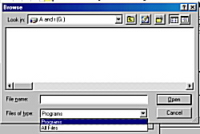 Find the file and double click it's name. Now click "open". Winzip should open automatically. Now depending on if you use "classic" or "wizard" mode you either need to enter c:\program files\maxis\simcity 3000 unlimited\buildings in the box OR click on the "extract" button and enter the above address in the text box. Classic Mode 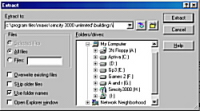 Wizard Mode 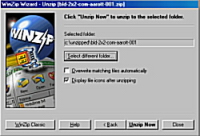 3. Open BAP and then click on "load building". The building should be in the default directory. If it isn't you can browse for it. A preview of the building should appear in the window. 4. Click on the button shown below: 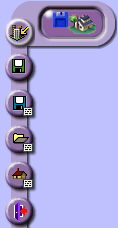 A warning will appear. Click "yes". 5. After BAP has finished rendering the building click, close BAP and open SC3KU. 6. Open the "city options" button and click on "user buildings". The new building should be in the building list for the size of the building you would like to replace. Click on the green arrow to replace the building. Click okay and then okay again. |